 StudioAnchor
Crew · Staff scheduling for studios
Cover every class, even when a teacher calls out.
Crew is StudioAnchor’s staff scheduling module, and it’s still in development. Post open shifts, see who to ask first, handle swaps, and turn tracked hours into a payroll batch you review, instead of chasing it all through group texts.
In development

What it does
What’s built so far.
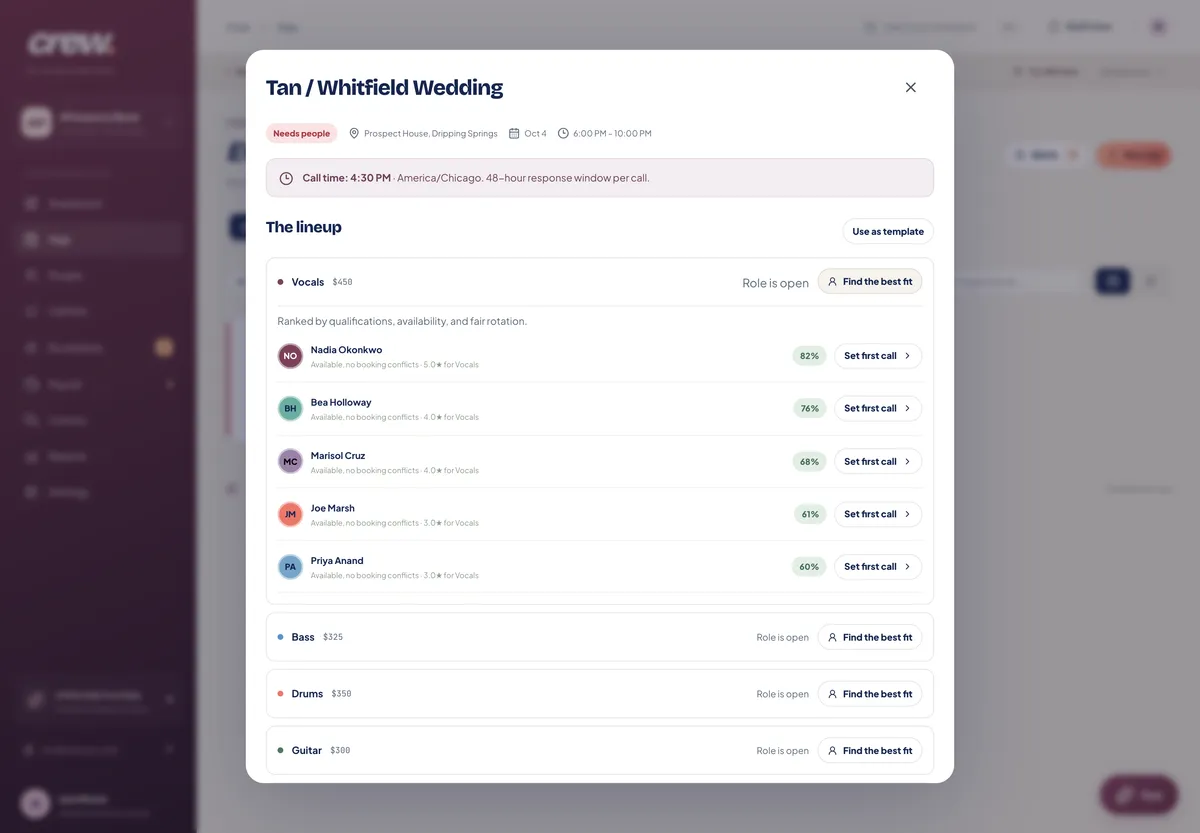
- Open shifts, ranked by who fitsPost a class or gig that needs covering and Crew ranks staff by qualification, availability, clashes, track record and fair rotation.
- A call list that keeps movingSave the order you want to ask people in. If someone doesn’t reply by the deadline, the offer moves to the next person.
- Swaps with your sign-offStaff can offer up a shift and colleagues can claim it; you approve or reject the swap.
- AvailabilityStaff set the weekdays they work and the dates they can’t, so Crew doesn’t suggest them.
- Time trackingClock in and out, with any later changes recorded.
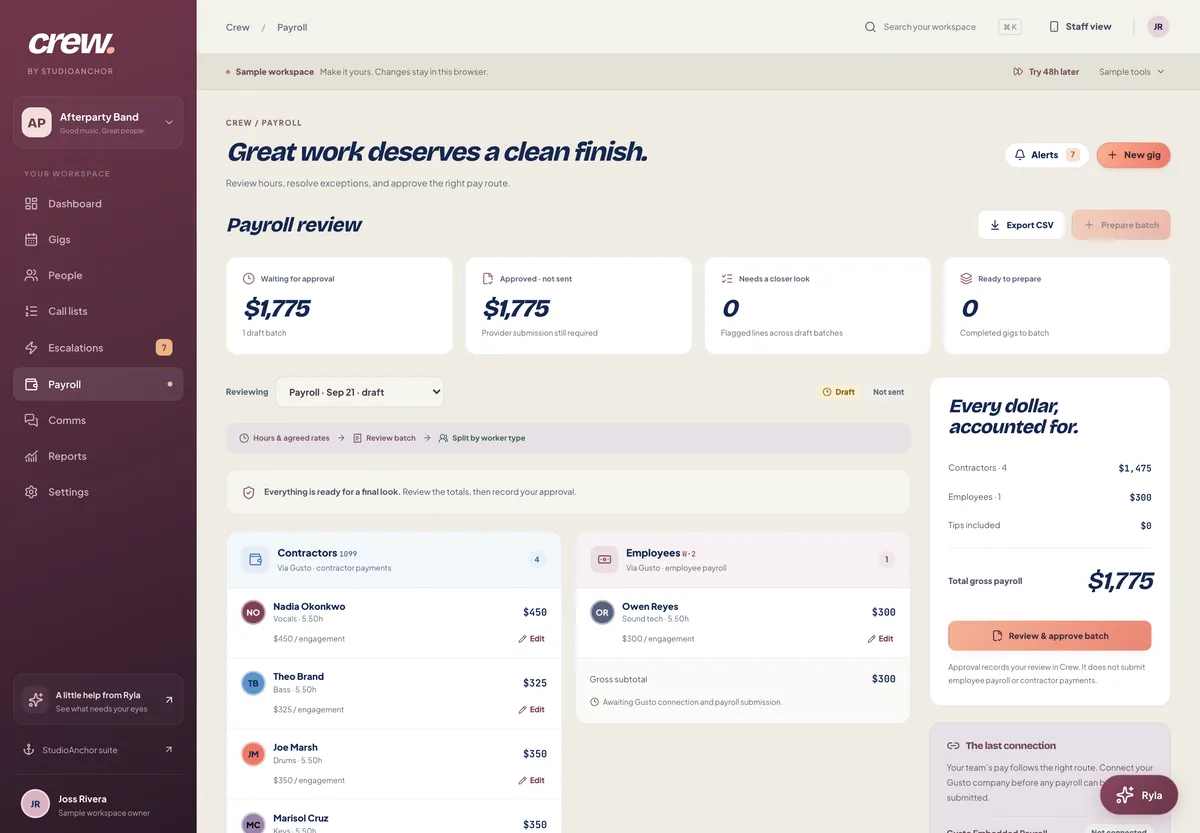
- A payroll batch you reviewHours become employee and contractor batches you review line by line, adjust and export. Approving prepares payroll; it doesn’t send payments.
Where it stands
In development, and not for sale yet.
Crew isn’t available to buy and doesn’t have a price yet. Sending offers and confirmations is switched off until launch. Crew doesn’t send texts, run background checks, pay staff, or manage volunteers.
Questions
Can I use Crew today?
Not yet. Crew is still in development and isn’t sold. You can see its screens, from a sample workspace, in the Commons tour.
How does Crew help when a teacher calls out?
Post the class as an open shift and Crew ranks who to ask: people qualified for the role, available at that time, without a clash, and not asked too often lately. You can save the order you want to ask in, and Crew moves to the next person if someone doesn’t answer in time.
Does Crew run payroll?
It prepares it. Crew builds a payroll batch from tracked hours, with separate batches for employees and contractors, line-by-line review, adjustments and a spreadsheet export. Approving a batch doesn’t pay anyone; you still pay through your payroll provider.
Will Crew text my staff?
Crew is built to send offers and confirmations by email through Reach. It doesn’t send text messages.
Does Crew track certifications or background checks?
Staff can submit credentials for you to review, with expiry reminders and the option to require them for a role. Background checks aren’t part of Crew.